Dashboard
Access: Click Overview in the sidebar menu
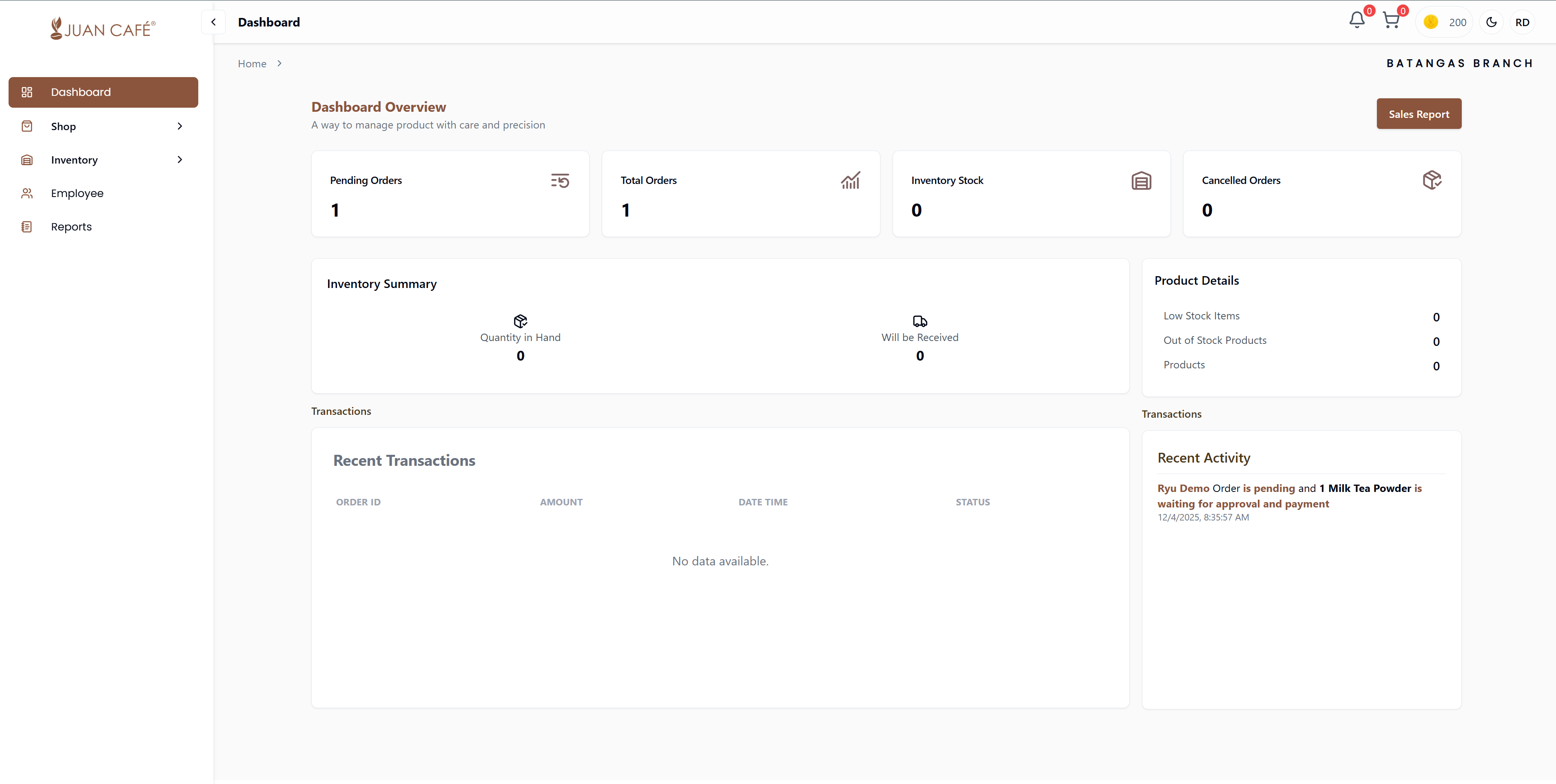
This is your main control panel for managing your branch. It gives you a quick snapshot of what's happening in your store.
Overview
The Dashboard provides a centralized view where you can monitor your franchise outlet's performance at a glance. Everything you need to keep your branch running smoothly is right here in one easy-to-use screen.
Key Features
Orders Overview
See how many orders are pending, completed, or canceled. Track current orders by status (Pending, Processing, Shipped, Delivered).
Inventory Summary
- Check what items you have in stock and what needs to be restocked
- View stock levels and low inventory alerts
- Monitor product availability
Product Details
- Find out which products are running low or out of stock
- View your top-selling products
- Track product performance metrics
Recent Transactions
View the latest orders with details like:
- Order amount
- Transaction date
- Order status
- Payment information
Recent Activity
Get updates on actions like:
- Order processing
- Payment confirmations
- Inventory updates
- System notifications
Quick Actions
- Navigate directly to Sales Reports with the quick access button
- View recent activity feed for latest updates
- Check order queue status
- Access key metrics instantly
Real-Time Updates
The dashboard automatically refreshes to display real-time data, helping you make informed decisions about ordering, inventory, and sales strategies.