Personal Information
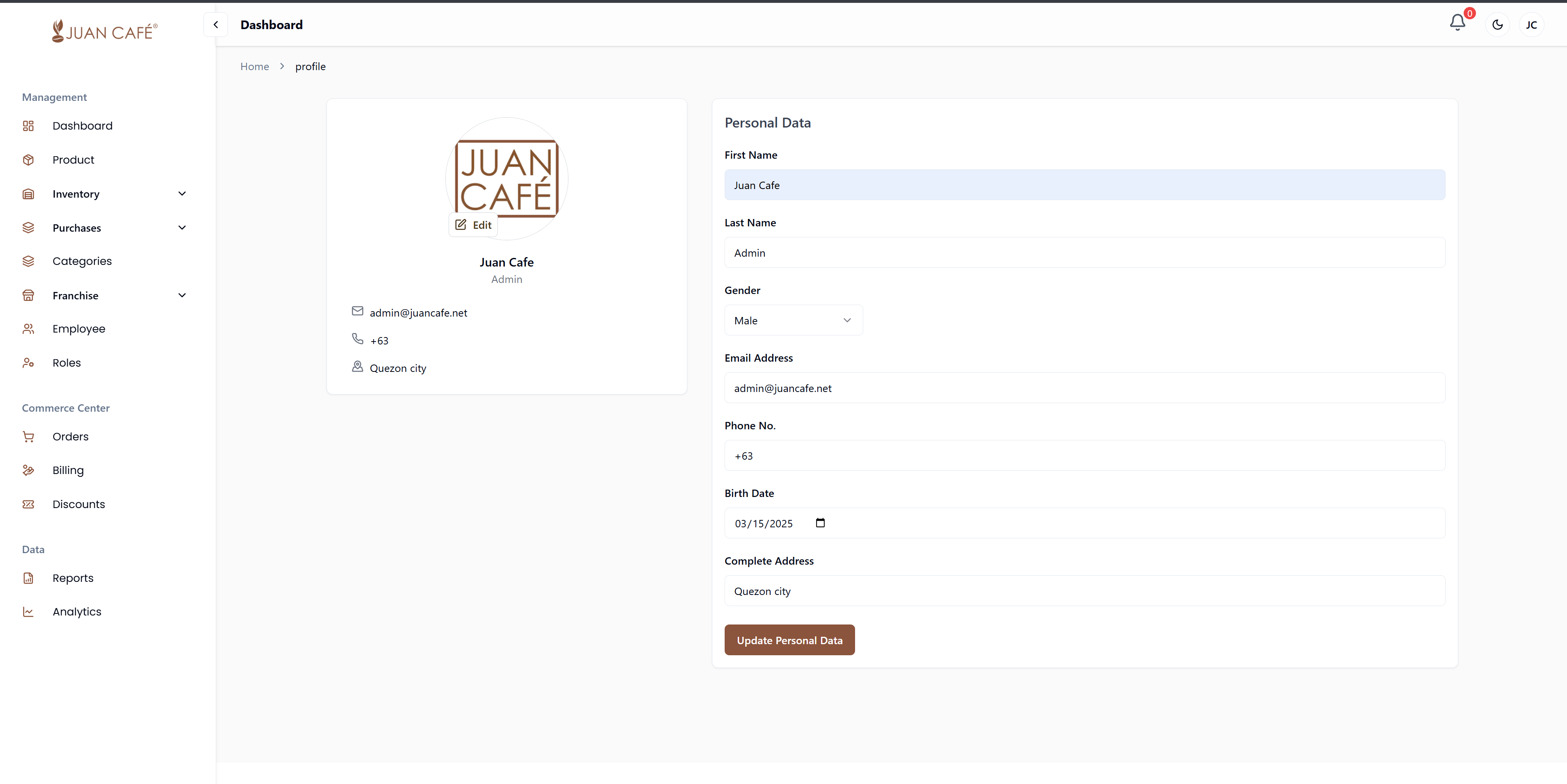
How to Update Personal Information
- Click your profile icon in the upper-right corner of the dashboard.
- Select Account from the dropdown menu.
- Update the following fields:
- First Name
- Last Name
- Gender
- Email Address
- Phone Number
- Birth Date (use the date picker)
- Complete Address
- Double-check your information before saving.
- Click Update Personal Data to save your changes.