Shop
Access: Click Shop > Shop in the sidebar menu
This section is where you can order supplies for your branch and manage your initial inventory.
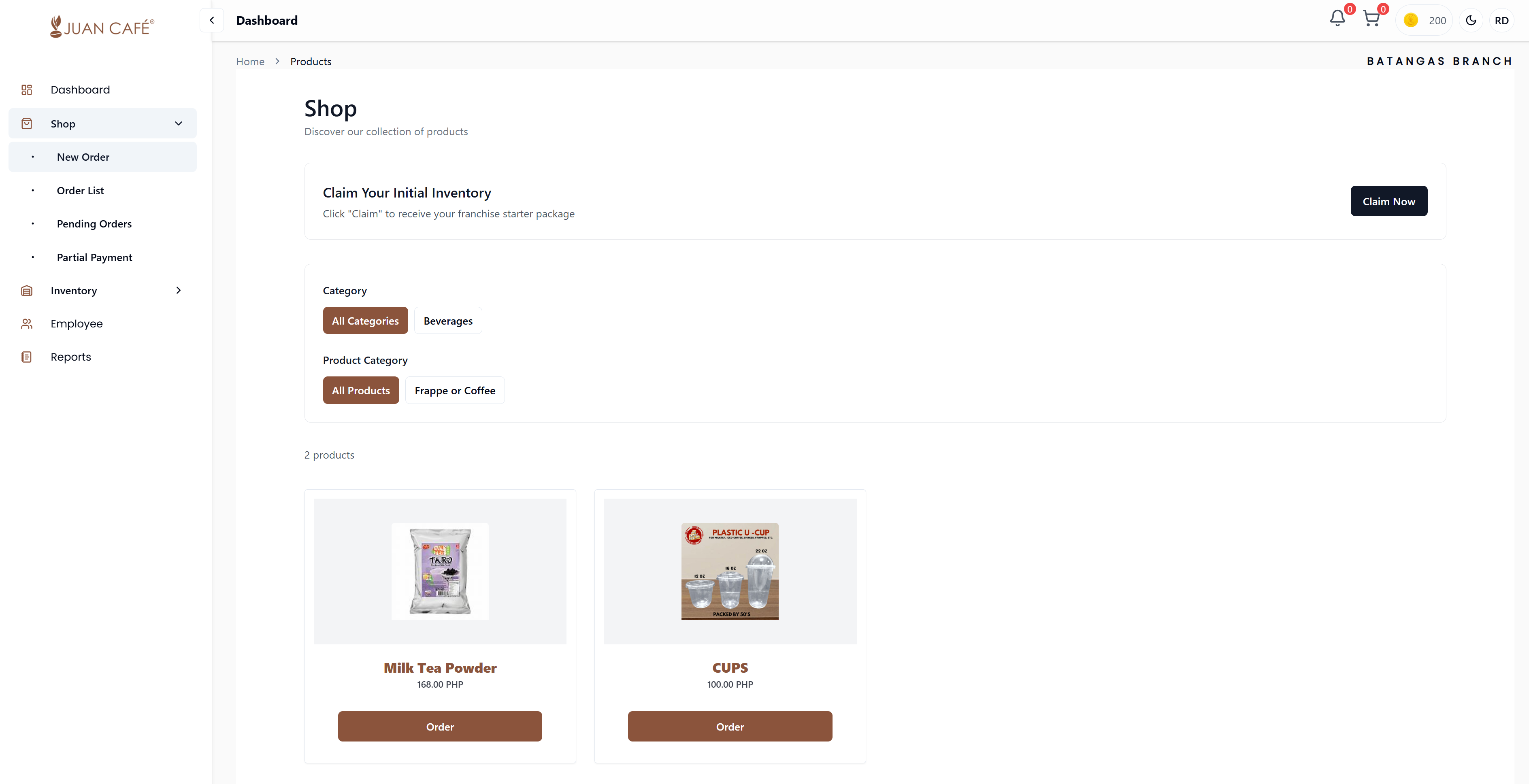
Overview
The Shop section is where you browse and order products from the main inventory for your franchise outlet. This is your primary tool for restocking supplies and keeping your branch well-stocked.
Key Features
Claim Your Initial Inventory
- One-Time Feature: Claim the starter package included with your franchise
- How to Claim: Click the Claim Now button in the shop portal
- Delivery: Items will be delivered directly to your branch
- Availability: This option is only available once per franchise
The initial inventory claim is a one-time benefit. Once claimed, you cannot claim it again. Make sure you're ready to receive the delivery before claiming.
Product Categories
Filter products by category to find what you need quickly:
- Beverages: Coffee, tea, milk tea products
- Raw Materials: Ingredients and supplies
- Equipment: Tools and machines
- Other Items: Additional products and accessories
Product Display
All available products are displayed in a grid/card layout. Each product card shows:
- Product image
- Product name
- Price (with VAT information)
- Stock availability status
- Category information
Filtering Products
Use the filtering options to find products quickly:
- By Main Category: Filter by product types (e.g., Raw Materials, Supplies, Equipment)
- By Product Category: Filter by use case (e.g., Hot Drinks, Cold Drinks, Milk Tea Products)
- Use the search bar to find specific items quickly
Ordering Products
Order Button
- Click the Order button under any product to add it to your cart
- Products are added with default quantity (you can adjust in cart)
- Continue shopping or proceed to checkout
Product Information
Click on any product card to view detailed information:
- Full product specifications
- Current stock availability
- Pricing breakdown including VAT
- Variant availability (if applicable)
Products with variants (like different sizes or flavors) require you to select a variant before adding to cart.
Best Practices
- Plan Ahead: Review your inventory needs before ordering
- Check Stock: Ensure products are in stock before ordering
- Claim Initial Package: Don't forget to claim your one-time initial inventory package
- Monitor Prices: Prices include VAT - review total costs before ordering
The Shop page makes it easy to keep your branch stocked and ensures you receive your initial inventory package without hassle. Use categories to quickly find what you need.