Juan Credits
Access: Available throughout the system, particularly in payment processing
Juan Credits are the internal digital currency used within the system to provide discounts and process payments for franchisee orders.
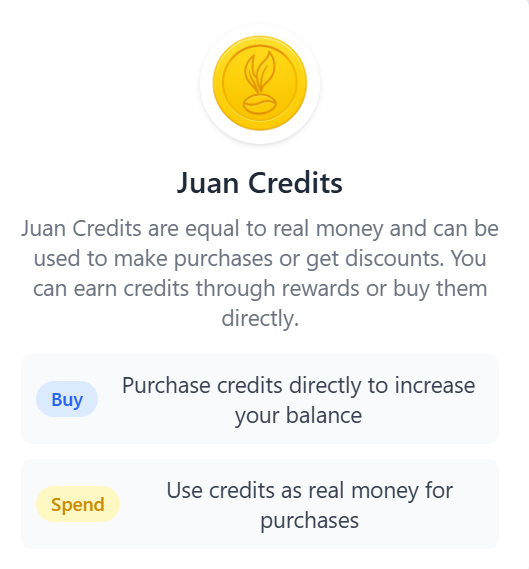
What are Juan Credits?
Juan Credits function as digital currency within the Juan Café franchise system. They provide flexibility in managing payments and can be used just like real money when purchasing supplies and products for your branch.
Key Features
Digital Currency
- Real Value: Credits have actual monetary value
- Flexible Payment: Use credits as payment method
- Convenient: No need for physical cash or bank transfers
- Instant: Credits are applied immediately to purchases
- Traceable: All credit transactions are recorded
Payment Flexibility
- Full Payment: Pay entirely with Juan Credits
- Partial Payment: Combine credits with other payment methods
- Mix and Match: Use credits plus cash, bank transfer, or online payment
- Your Choice: Decide how much credit to use per transaction
How to Earn Credits
There are several ways to accumulate Juan Credits:
1. Refunds
- Returned Items: Receive credits for products you return
- Order Cancellations: Get credits back for canceled orders
- Overpayments: Credits issued for any overpaid amounts
- Quality Issues: Compensation for defective or incorrect items
2. Credit Bonuses
- Franchisor Rewards: Bonuses given directly by the franchisor
- Performance Incentives: Credits for meeting sales targets
- Special Awards: Recognition rewards in credit form
- Promotional Bonuses: Credits during special promotions
3. Rewards and Promotions
- Loyalty Programs: Credits for consistent ordering
- Referral Bonuses: Credits for referring other franchisees
- Seasonal Promotions: Special credit offers during campaigns
- Volume Discounts: Credit rewards for bulk orders
How to Buy Credits
You can purchase Juan Credits to increase your balance:
Purchase Process
- Navigate to the Credits section
- Select the amount of credits you want to buy
- Choose your payment method
- Complete the payment
- Credits are added to your balance immediately
Payment Methods for Credits
- Bank transfer
- Online payment (PayMongo)
- Credit/Debit card
- GCash or Maya
- Check payment
Benefits of Buying Credits
- Convenience: Have credits ready for quick orders
- Budgeting: Prepay for future supplies
- Faster Checkout: Skip payment processing during orders
- Planning: Manage cash flow by loading credits in advance
How to Use Credits
During Payment Processing
When processing payment for an order:
- View Balance: See your available Juan Credits
- Apply Credits: Choose to use credits for payment
- Select Amount: Decide how much credit to apply
- Combine Methods: Use credits plus other payment if needed
- Confirm Payment: Process the transaction
Credit Application Options
Use Credits Only
- Pay the entire order with your credit balance
- No additional payment needed
- Instant confirmation
- Credits deducted from balance
Use Credits + Cash/Online Payment
- Apply partial credits to reduce the total
- Pay remaining balance with actual money
- Maximize credit use while conserving cash
- Flexible payment structure
Where to Use Credits
- Shop Orders: Purchase supplies and products
- Inventory Restocking: Restock your branch inventory
- Initial Inventory: Can be used for some initial setup costs
- Regular Orders: Any standard product order
Checking Your Credit Balance
View Balance
- Payment Screen: See current balance when processing payments
- Account Settings: Check balance in your account dashboard
- Transaction History: View credit transactions and balance changes
Credit Balance Information
- Current Balance: Total available credits
- Pending Credits: Credits awaiting confirmation
- Used Credits: History of credit expenditures
- Earned Credits: Record of how credits were obtained
Credit Transaction History
Track all your credit activity:
Transaction Details
- Date: When the credit transaction occurred
- Type: Earned, Used, or Purchased
- Amount: Credit value
- Description: Reason for the transaction
- Balance: Running balance after transaction
- Reference: Related order or transaction ID
Review History
- Recent Activity: See latest credit movements
- Filter by Type: View only earned or used credits
- Date Range: Check credits for specific periods
- Export: Download credit history for records
Best Practices
Managing Your Credits
- Track Balance: Regularly check your credit balance
- Plan Usage: Save credits for larger purchases or use for regular orders
- Don't Hoard: Use credits strategically but don't let them sit unused
- Monitor Expiry: Check if credits have expiration dates
- Keep Records: Export credit history periodically
Maximizing Credit Value
- Earn When Possible: Take advantage of promotions and rewards
- Strategic Use: Use credits when it benefits cash flow most
- Combine Wisely: Mix credits with other payments for optimal benefit
- Buy During Promos: Purchase credits when there are bonuses
- Performance Bonuses: Work toward targets that reward with credits
Credit Security
- Protect Account: Keep login credentials secure
- Monitor Activity: Check credit transactions regularly
- Report Issues: Immediately report any unauthorized credit use
- Verify Amounts: Confirm credit deductions match your orders
- Keep Receipts: Save credit transaction confirmations
Important Notes
Credit Policies
- Non-Transferable: Credits cannot be transferred to other franchisees
- No Cash Conversion: Credits cannot be converted back to cash (except through purchases)
- Account Specific: Credits are tied to your franchise account
- Official Use Only: Credits can only be used within the Juan Café system
- Terms Apply: Subject to franchisor terms and conditions
Credit Limitations
- Minimum Balance: Some transactions may require minimum credit balance
- Maximum Use: There may be limits on credit use per transaction
- Expiration: Check if credits have validity periods
- Restrictions: Certain products may not be eligible for credit payment
- Approval Required: Large credit transactions may need approval
Frequently Asked Questions
Can I transfer credits to another franchisee?
No, Juan Credits are non-transferable and can only be used by the account holder.
Do credits expire?
Check with your franchisor for specific credit expiration policies. This may vary.
Can I get a refund for unused credits?
Generally, credits are for purchases only. Contact your franchisor for specific refund policies.
What happens to my credits if I close my franchise?
Refer to your franchise agreement for credit settlement terms upon closure.
Can I use credits for all products?
Most products accept credit payment, but some items may be restricted. Check during checkout.
Getting Help
If you have questions or issues with Juan Credits:
- Contact Support: Reach out to franchisor support team
- Check Balance: Verify your account dashboard first
- Review History: Check transaction history for details
- Document Issues: Take screenshots of any problems
- Reference Numbers: Have your transaction IDs ready
Juan Credits give you flexibility—use them instead of cash or combine them with other payment methods. This helps manage your branch expenses efficiently.
Juan Credits work as real money in the system. Spend credits for purchases and combine with other payment methods for maximum flexibility.
Protect your account credentials to safeguard your credit balance. Monitor credit transactions regularly and report any suspicious activity immediately.