Order List
Access: Click Shop > Orders in the sidebar menu
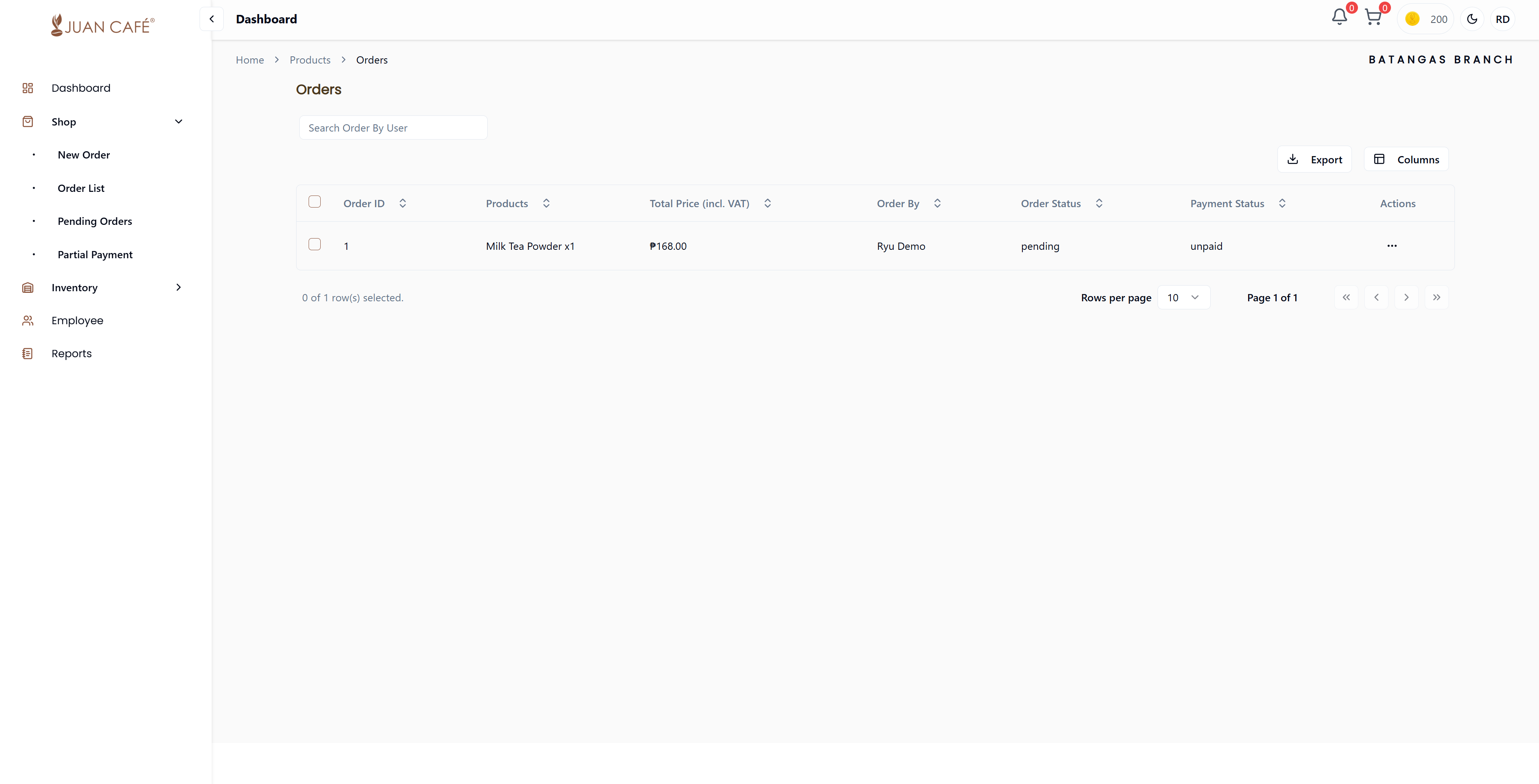
This section shows all the orders you have placed for your branch. Here you can view, track, and manage all your order history.
Overview
View a complete list of all orders your franchise has placed with headquarters. This page helps you keep track of every order and monitor its progress easily.
What You Can See
Order Information Displayed
Each order in the list shows:
- Order ID: Unique reference number for the order
- Product Name: Name of the product(s) ordered
- Total Price: Complete order amount including VAT
- Order Placed By: Name of the employee who placed the order
- Order Status: Current status of the order (Pending, Approved, Processing, Shipped, Delivered)
- Payment Status: Whether payment is confirmed or still pending
Order Status Types
- Pending: Awaiting approval from admin
- Approved: Confirmed by admin, ready for processing
- Processing: Being prepared for shipment
- Shipped: On the way to your branch
- Delivered: Successfully received at your branch
- Canceled: Order was canceled
Payment Status Types
- Pending: Payment not yet confirmed
- Paid: Payment confirmed and processed
- Partial: Partial payment received
- Failed: Payment failed or rejected
Order Table Features
- Sortable Columns: Click column headers to sort by product name, date, quantity, status, or total amount
- Search Function: Use the search bar to find specific orders by Order ID or product name
- Filter by Status: Filter orders by their current status
- Pagination: Navigate through multiple pages of orders
- Export Data: Export order list to CSV for your records
Actions Menu
To take action on a specific order, click the three-dot menu (⋮) at the end of each row:
- Preview: View complete order details including all products, quantities, and pricing
- Track Order: Monitor the delivery status and shipment progress in real-time
Best Practices
- Regular Monitoring: Check your orders regularly to stay updated on delivery status
- Track Deliveries: Use the Track Order feature to know when to expect your supplies
- Keep Records: Export order history periodically for accounting and inventory planning
- Verify Receipts: Always verify received items against your order details
Export for Records
You can export your order history to CSV format for accounting and record-keeping purposes. This helps with financial tracking and inventory planning.