Inventory
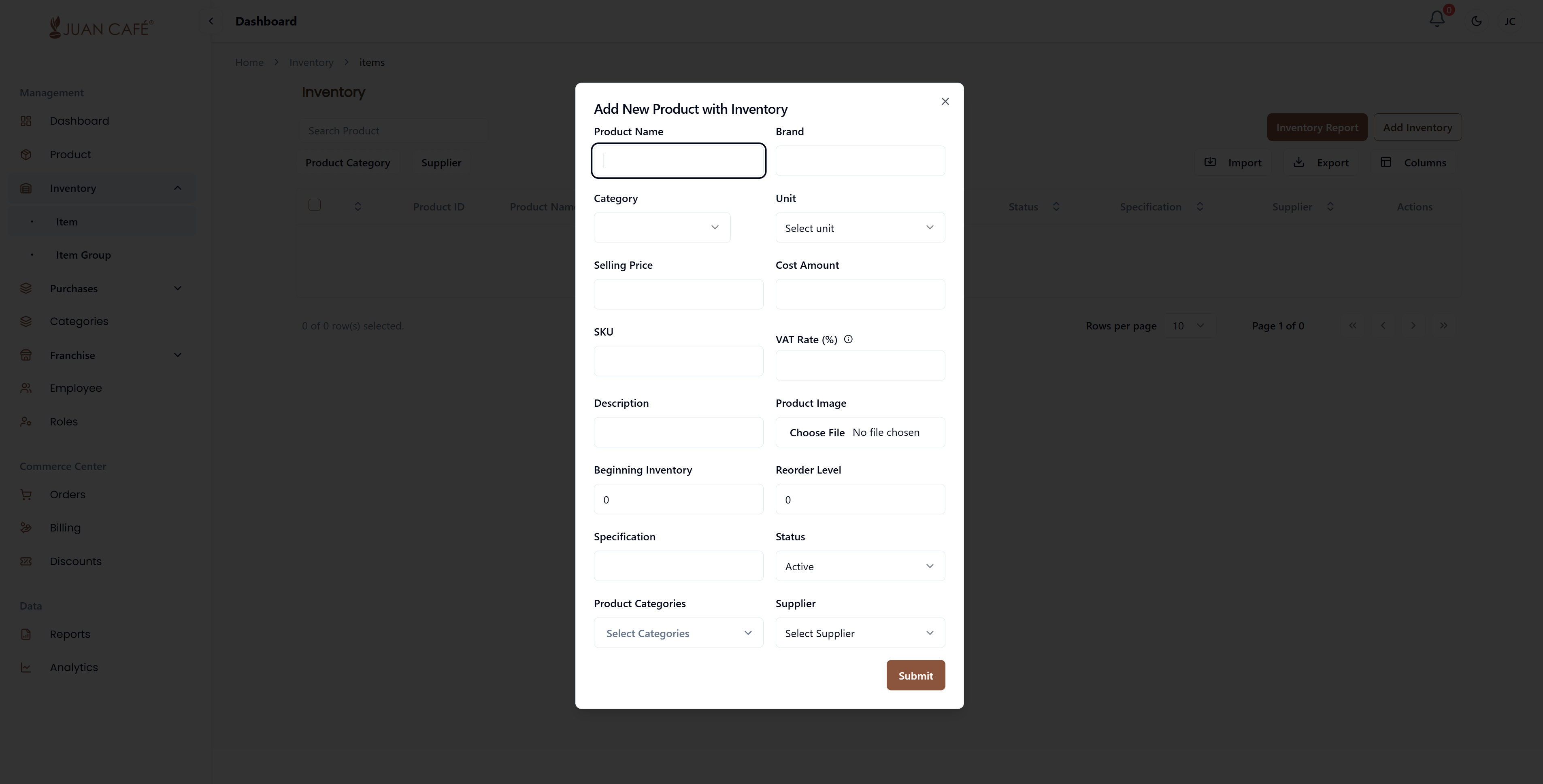
How to Add Product to Inventory
- Go to Inventory and click Add Inventory Item.
- Fill in the required details:
- Product Name
- Brand
- Category
- Add-ons
- Unit
- Selling Price
- Cost Amount
- SKU
- VAT Rate (%)
- Description
- Product Image
- Beginning Inventory
- Reorder Level
- Expiration Date
- Specification
- Status (Active/Inactive)
- Product Categories
- Review the information and click Submit to save.