Inventory Group
Access: Click Inventory > Item Group in the sidebar menu
This section allows you to organize products into groups for easier management and tracking.
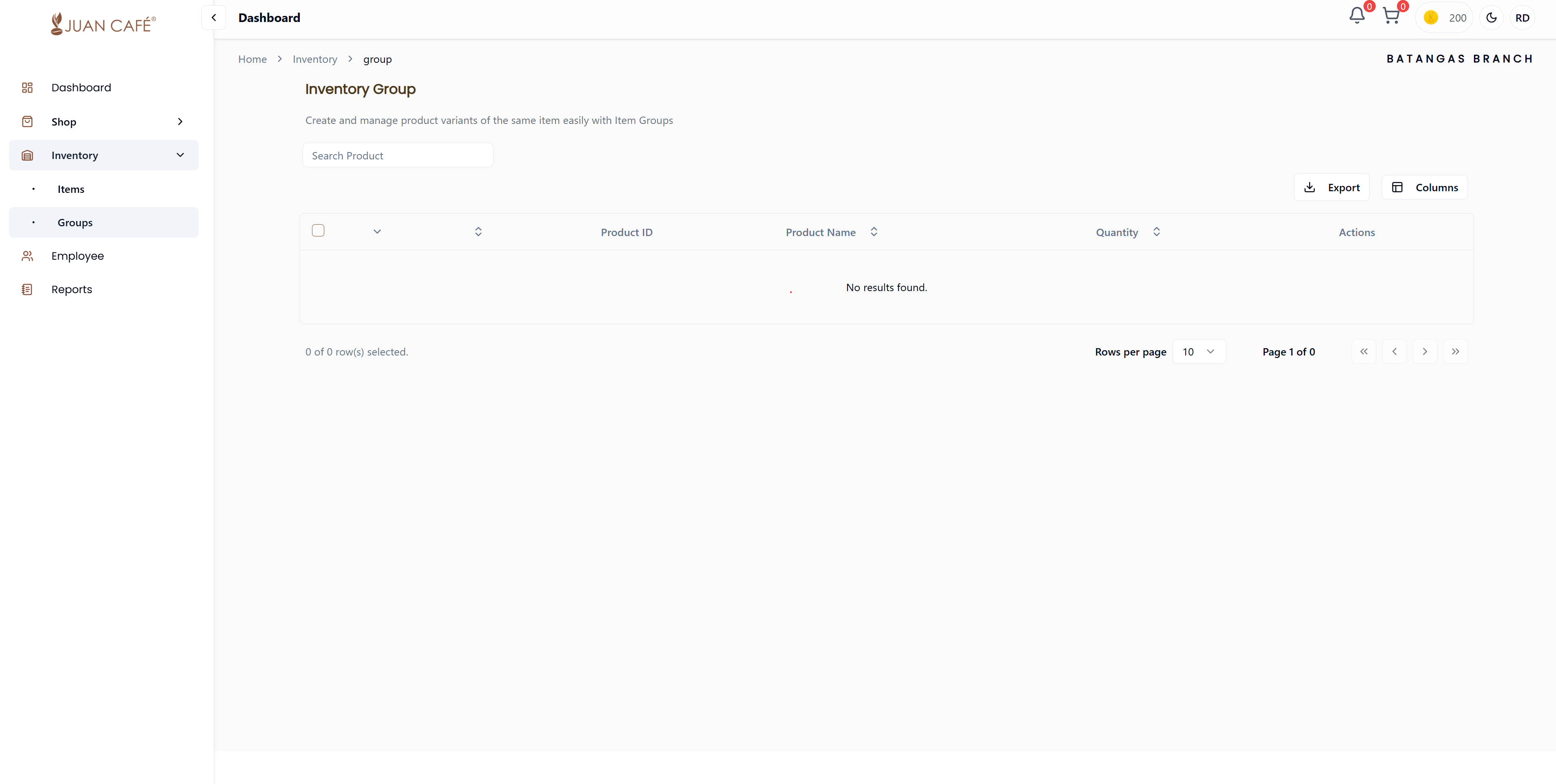
Overview
Inventory Group makes managing multiple related products simple and efficient. Organize similar items together for better inventory control and streamlined operations.
Key Features
Group Products
Combine similar items into one group for better tracking:
- Related Items: Group products that are used together
- Categories: Organize by product type or category
- Bundles: Create product bundles or kits
- Easier Management: Manage multiple related products at once
Search Products
Quickly find items to add to a group:
- Search by product name
- Filter by category
- Find products by ID
- Browse available inventory
View Details
See comprehensive information for each grouped item:
- Product ID: Unique identifier
- Product Name: Full name and description
- Quantity: Current stock level for each item in the group
- Group Total: Combined quantity across all items in the group
Export Data
Download grouped inventory for:
- Reporting and analysis
- Record-keeping
- Sharing with management
- Inventory audits
How to Create an Inventory Group
1. Click Add Group
Navigate to the Inventory Group page and click the Add Group button.
2. Name Your Group
Enter a descriptive name for the group:
- Examples: "Coffee Essentials", "Milk Tea Bundle", "Morning Supplies"
- Use clear, identifiable names
3. Add Products to Group
Search and select products to include:
- Use the search bar to find products
- Select products from your inventory
- Add multiple products to one group
- Specify quantities if needed
4. Save Group
Click Save to create the inventory group.
Managing Inventory Groups
View Group Details
- Click on any group to see all products included
- View total quantities across the group
- See individual product details
Edit Group
- Add or remove products from the group
- Update group name or description
- Adjust product quantities within the group
Delete Group
- Remove groups that are no longer needed
- Products remain in inventory (only group is deleted)
- Requires confirmation
Benefits of Inventory Groups
Simplified Tracking
- Monitor related products together
- Track bundle availability
- See complete picture of product sets
Efficient Ordering
- Order complete sets at once
- Ensure all components are available
- Avoid missing items in bundles
Better Organization
- Categorize inventory logically
- Find related products quickly
- Streamline inventory management
Reporting
- Generate reports by product group
- Analyze group performance
- Track group-level inventory turnover
Common Group Examples
Coffee Station Essentials
- Coffee beans
- Filters
- Cups and lids
- Stirrers and napkins
Milk Tea Supplies
- Tea leaves
- Tapioca pearls
- Flavorings and syrups
- Straws and cups
Breakfast Bundle
- Bread products
- Spreads and toppings
- Beverages
- Serving supplies
Best Practices
- Logical Grouping: Group products that are actually used together
- Clear Names: Use descriptive group names
- Regular Review: Update groups as your product mix changes
- Avoid Overlap: Don't include same product in multiple groups unless necessary
- Export Regularly: Download group data for records and analysis
Inventory groups help you manage multiple related products as a single unit, making ordering, tracking, and reporting much more efficient.
Products in a group maintain their individual inventory records. Grouping is for organizational purposes and doesn't affect individual product management.